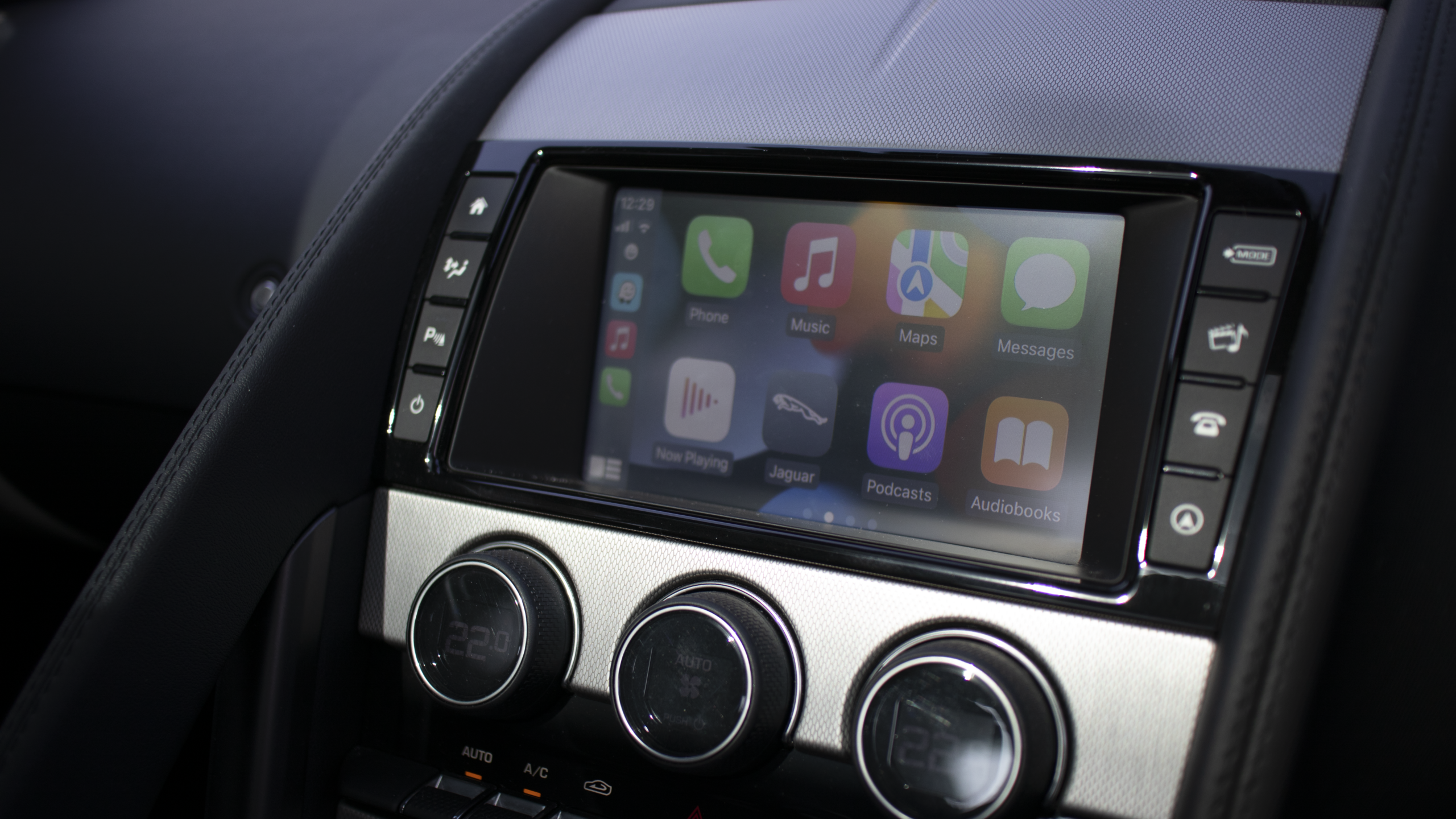
Bringing the Jaguar F-TYPE into the Modern World: Apple CarPlay Retrofit
The Jaguar F-TYPE is a car that still feels special every time you get behind the wheel. The styling, the noise, the driving position and, of course, that glorious exhaust note all help make it one of those cars that can put a smile on your face before you’ve even left the driveway.
There is, however, one area where the F-TYPE hasn’t aged quite so gracefully: the infotainment.
My car is fitted with the Harman Kardon infotainment system, and while it was perfectly acceptable when the F-TYPE was new, modern smartphones have moved the game on considerably. These days, getting into a car without Apple CarPlay can feel surprisingly old-fashioned.
Fortunately, there is a relatively straightforward way of bringing the F-TYPE’s infotainment right up to date without replacing the original screen or trying to turn the dashboard into something it was never designed to be.
Enter Apple CarPlay
I decided to fit an aftermarket Apple CarPlay interface to my F-TYPE.
The idea behind these systems is quite clever. Rather than replacing the Jaguar’s original infotainment system, the CarPlay interface is installed alongside it. You retain the factory screen and controls but gain access to Apple CarPlay, bringing the familiar interface from your iPhone directly onto the car’s display.
That means access to things such as Apple Maps, Google Maps, Waze, Apple Music, Spotify, podcasts, messages and Siri, all in a way that feels considerably more contemporary.
There are several aftermarket systems available specifically for the F-TYPE, with different solutions depending on the infotainment hardware fitted to the car. It is therefore important to establish exactly which system your car has before choosing a retrofit kit. Not every interface will be compatible with every F-TYPE.
Choosing the right system
There are plenty of Apple CarPlay interfaces available online, ranging from relatively inexpensive generic units to more specialised systems designed specifically for particular Jaguar models.
For me, the decision wasn’t simply about finding the cheapest option. Compatibility, installation requirements, reliability and the availability of technical support were all important considerations.
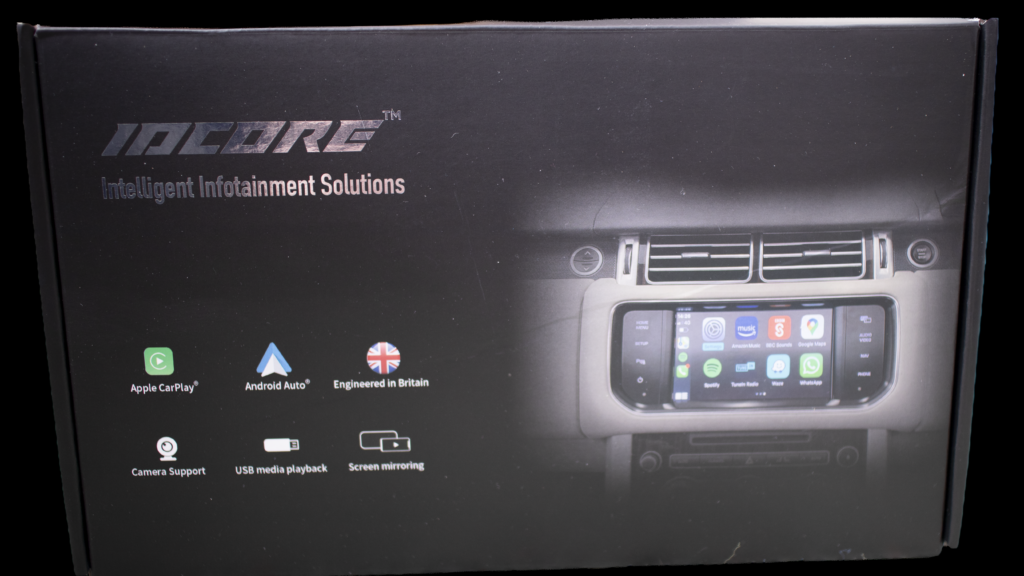
When you’re connecting aftermarket electronics to a Jaguar’s original infotainment system, it’s worth doing your homework before ordering.
I would recommend checking the precise specification of your car, confirming that the interface supports your particular infotainment system and making sure that clear installation instructions are provided.
It’s also worth considering whether you want wireless Apple CarPlay or are happy connecting your phone using a cable. Both approaches are available, depending on the system selected.
The clever bit: it doesn’t spoil the interior
One of the things I particularly like about this installation is that there is no obvious aftermarket screen stuck onto the dashboard.
The original Jaguar screen remains exactly where it is.
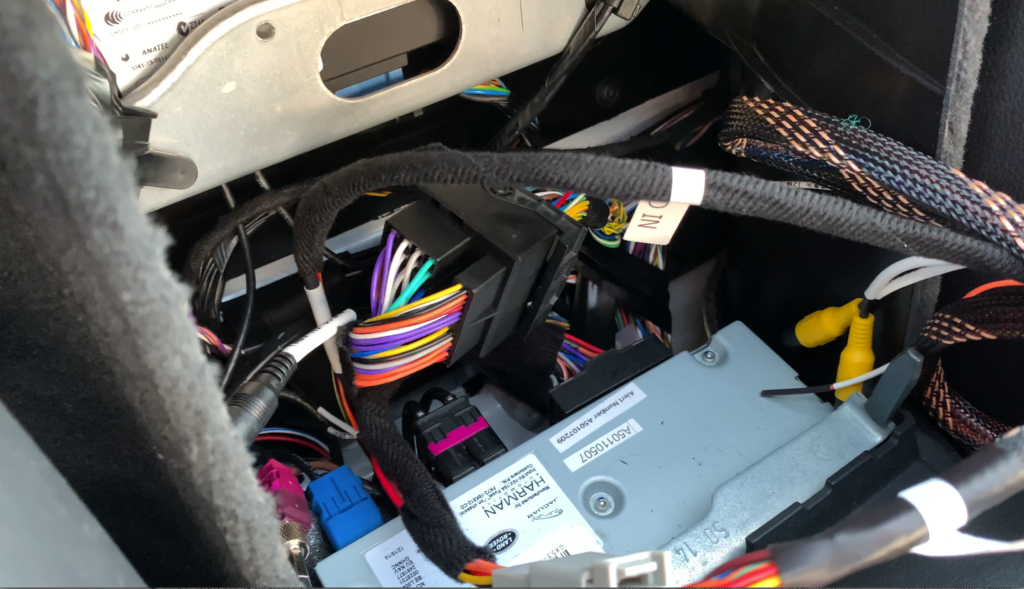
With my Harman Kardon system, the installation involves accessing the infotainment hardware in the area behind the seats. The CarPlay interface can then be tucked away neatly in the centre area behind the seats.
Once everything is back together, you wouldn’t know that the car had been modified.
And that’s exactly how I like aftermarket upgrades to be.
The F-TYPE has such a beautifully designed interior that I didn’t want to add a large aftermarket touchscreen or anything that looked out of place. The factory screen is perfectly adequate for displaying CarPlay, so keeping it made far more sense to me.
How long does it take, and what does it cost?
One of the attractions of this type of upgrade is that it doesn’t necessarily involve a lengthy or complicated installation.
For F-TYPEs fitted with the Harman Kardon infotainment head unit, fitting an aftermarket Apple CarPlay interface typically takes around 30 minutes to an hour, depending on the particular kit and the experience of the person carrying out the installation.
Cost will naturally vary depending on the system you choose and whether you decide to fit it yourself or have it professionally installed.
As a general guide, expect to spend somewhere between £150 and £700.
At the lower end, you’re likely to be looking at purchasing the interface and undertaking the installation yourself. At the higher end, the price may include professional fitting, giving you the convenience of having everything installed and working without having to tackle the job yourself.
For anyone reasonably confident working with car interiors and electronics, a DIY installation could be an attractive option. However, if you’re less comfortable removing trim and accessing the infotainment hardware, professional installation is probably money well spent.
Either way, it’s a relatively modest investment when you consider how much more contemporary it makes the F-TYPE feel.
The transformation is bigger than you might expect
The difference after installation is immediately noticeable.
The original Jaguar system suddenly feels much less dated because the important part of the experience is now being provided by your phone.
Navigation is probably the biggest improvement.
Instead of relying on an older built-in navigation system, I can use the mapping system I already use on my phone. Whether that’s Apple Maps, Google Maps or Waze, the information is familiar, regularly updated and includes things such as live traffic information.
Music is another major improvement.
Rather than being limited to the older functionality of the factory system, I can access my normal music and podcast services through CarPlay. For a car that is often driven for enjoyment rather than simply commuting, having your own music available instantly makes a surprising difference.
Then there are messages and Siri, which mean I can interact with my phone without having to pick it up.
It all makes the F-TYPE feel several years newer.
You don’t lose the Jaguar experience
One concern I had before fitting the system was whether adding CarPlay would somehow interfere with the original Jaguar functions.
The beauty of these interfaces is that they are designed to work with the existing infotainment system rather than completely replace it. The factory system remains part of the car, while the additional interface provides the modern smartphone functionality.
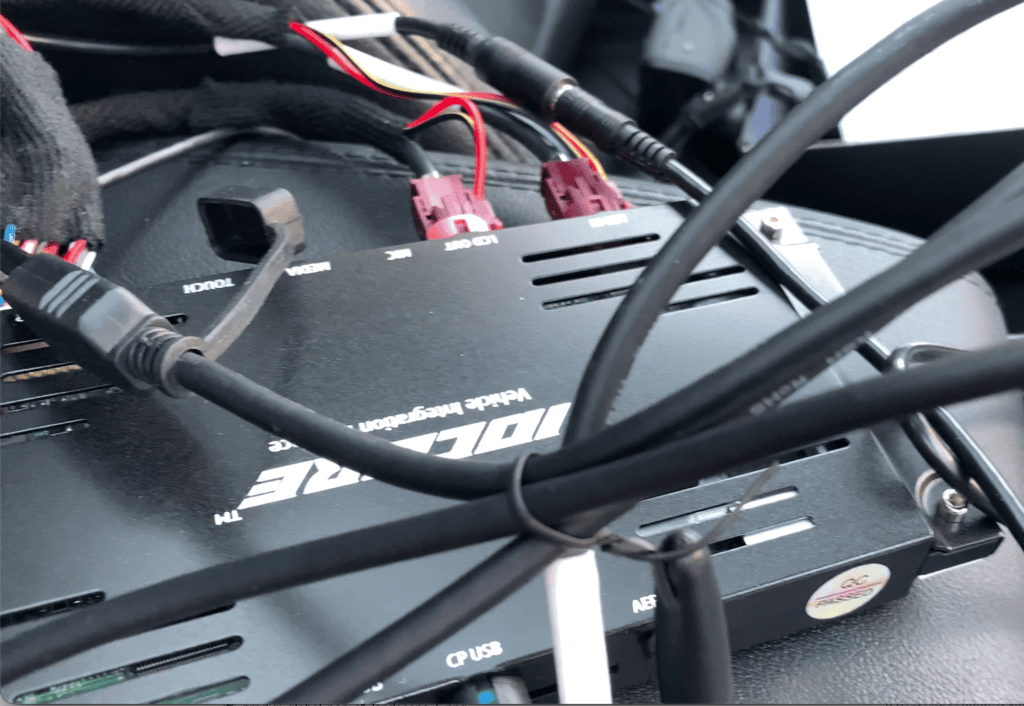
This type of retrofit has become an increasingly popular option among F-TYPE owners who want Apple CarPlay without undertaking a much more involved factory screen conversion.
For me, that’s the sweet spot.
I get the modern functionality I actually want while retaining the original Jaguar look and feel.
There are several options available
It’s worth remembering that there isn’t just one way to add Apple CarPlay to an F-TYPE.
There are numerous aftermarket interfaces available, some of which can be purchased considerably cheaper than others. The important thing is to understand what you’re buying and whether it is genuinely compatible with your particular car.
Some systems offer wireless connectivity, while others require a physical connection. Installation methods can also vary, as can the level of integration with the original Jaguar controls and infotainment functions.
As always with aftermarket electronics, I’d recommend doing your homework, checking exactly which infotainment system is fitted to your F-TYPE and making sure the kit is compatible before ordering.
The different F-TYPE systems mean that choosing a kit simply because it says F-TYPE CarPlay isn’t necessarily enough.
The verdict
Adding Apple CarPlay has probably been one of the most worthwhile upgrades I’ve made to my F-TYPE.
It doesn’t alter what makes the Jaguar special. The styling is still stunning, the driving experience is still the main event and that engine and exhaust combination still provide the soundtrack.
But when I’m actually using the car, the infotainment now feels much more in keeping with a modern sports car.
The biggest compliment I can give the retrofit is that I now barely think about it.
I get into the car, my phone connects, CarPlay appears and I’m ready to go.
The F-TYPE still feels like an F-TYPE. It just feels like an F-TYPE that has finally caught up with the smartphone age.